
One system, from the first shift to the last claim
Each module stands on its own, and they share the same data, so nothing is typed twice and nothing falls between two systems.
Build the week in minutes, not afternoons
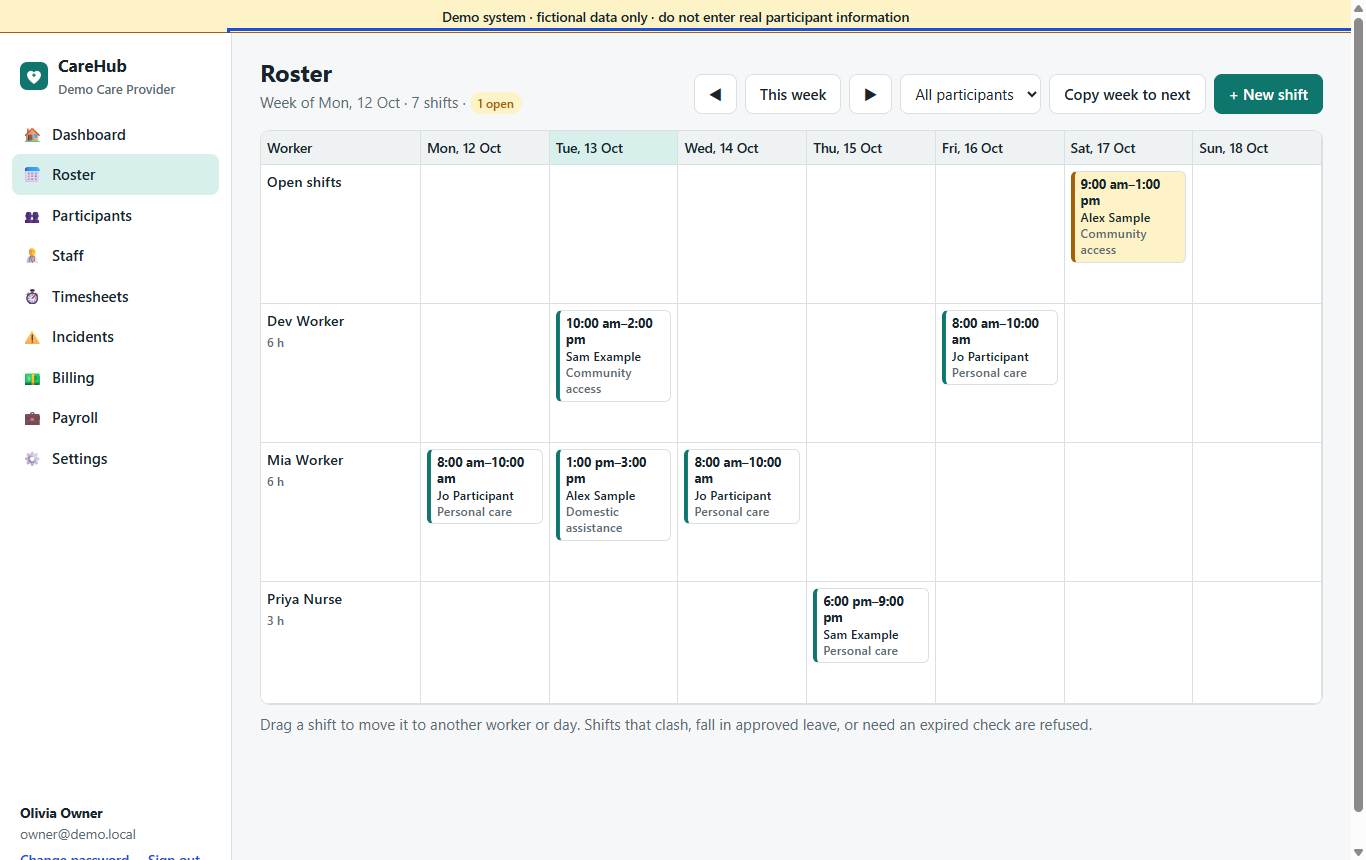
- Weekly grid with workers down the side and days across; drag a shift to another worker or day.
- Repeating shifts for regular supports, and a one-click copy week.
- Open shifts appear in workers' apps for them to pick up; the first to tap gets it.
- Refuses double bookings, shifts during approved leave, and workers whose mandatory check has expired. Warns when a shift falls outside a worker's usual availability.
- Cancel with or without a billable short-notice cancellation and the NDIS reason code.
Every shift carries what the worker needs
Each shift has a participant, a service and instructions for the worker. A service such as "Personal care" knows which NDIS item number applies on a weekday, an evening, a night, a weekend or a public holiday, so coordinators never pick item codes.
Know where every plan stands before it runs out
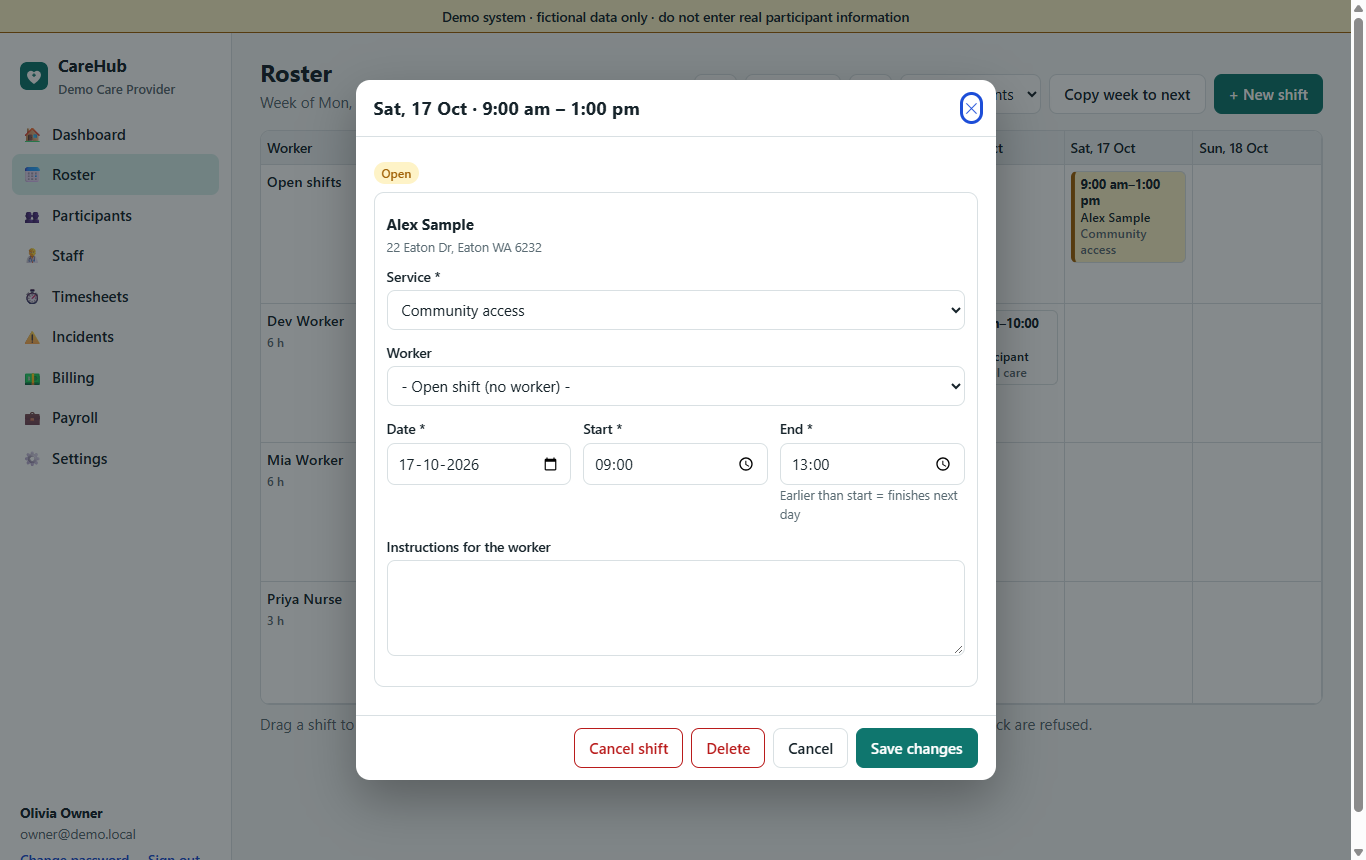
- Profile, NDIS number, funding type (NDIA, plan or self managed, Support at Home, private) and the plan manager's invoice email.
- Care notes and risks that the rostered worker sees before each visit.
- NDIS plans with a budget per support category, showing invoiced + already rostered against the budget.
- Alerts at 80% of a category and 60 days before a plan ends with no new plan.
- Documents such as service agreements, with expiry dates.
Approve with the evidence in front of you
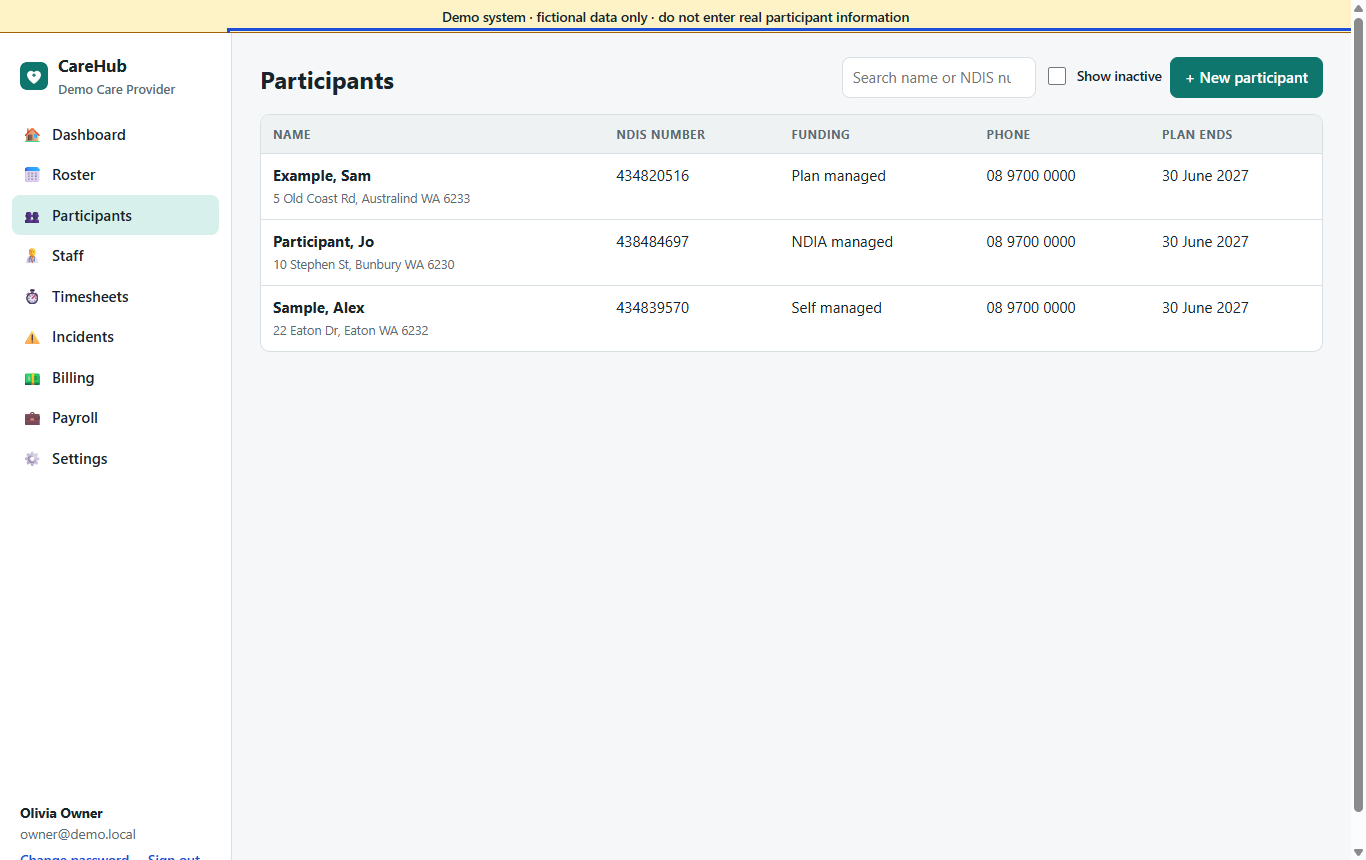
- Rostered against actual times for every visit, with breaks, km and expenses.
- Flags when a worker clocked in far from the address or without location.
- The participant's signature, one click away.
- Missed clock-ins listed separately, so a forgotten visit isn't lost.
- Only approved timesheets are invoiced and paid.
Checks, availability and leave in one place
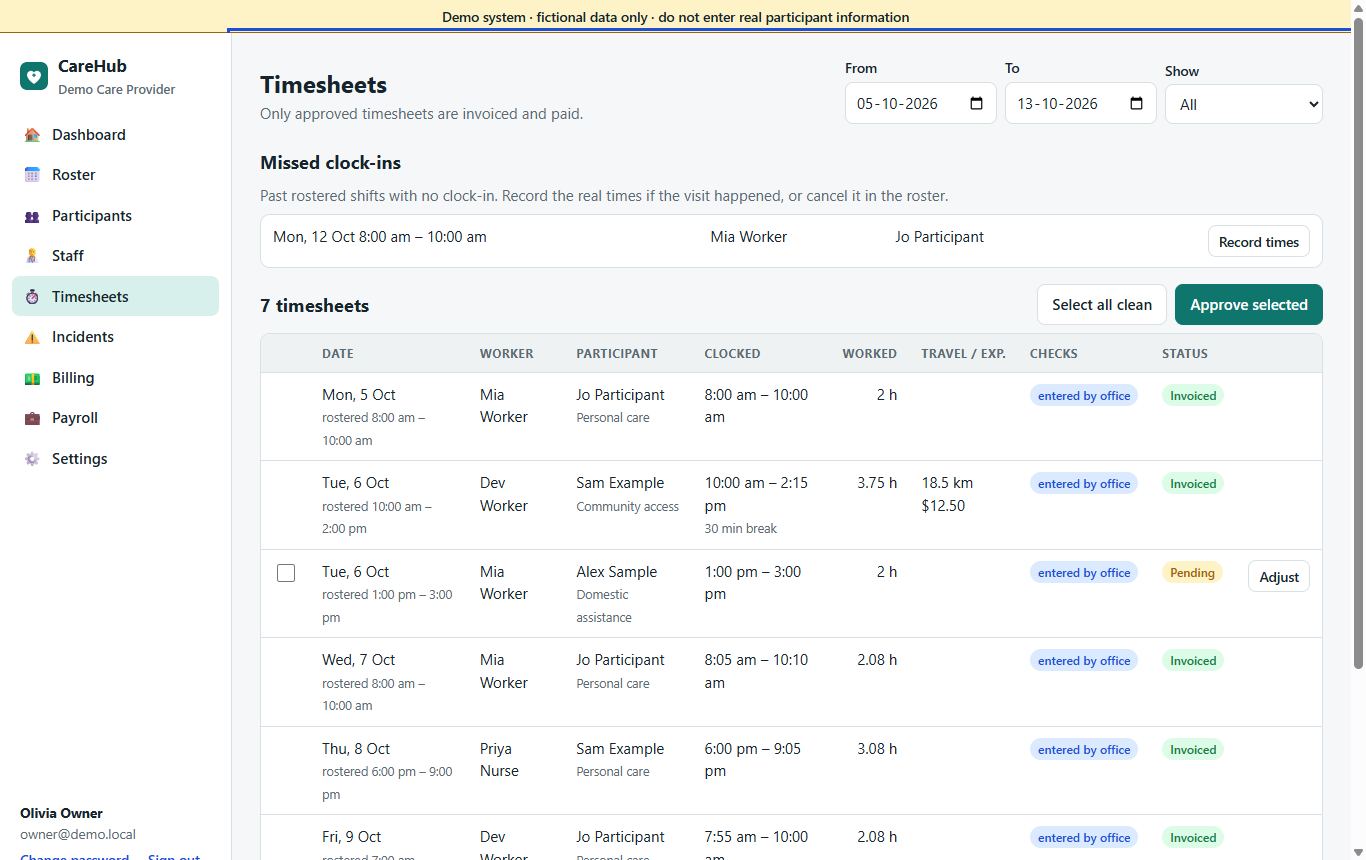
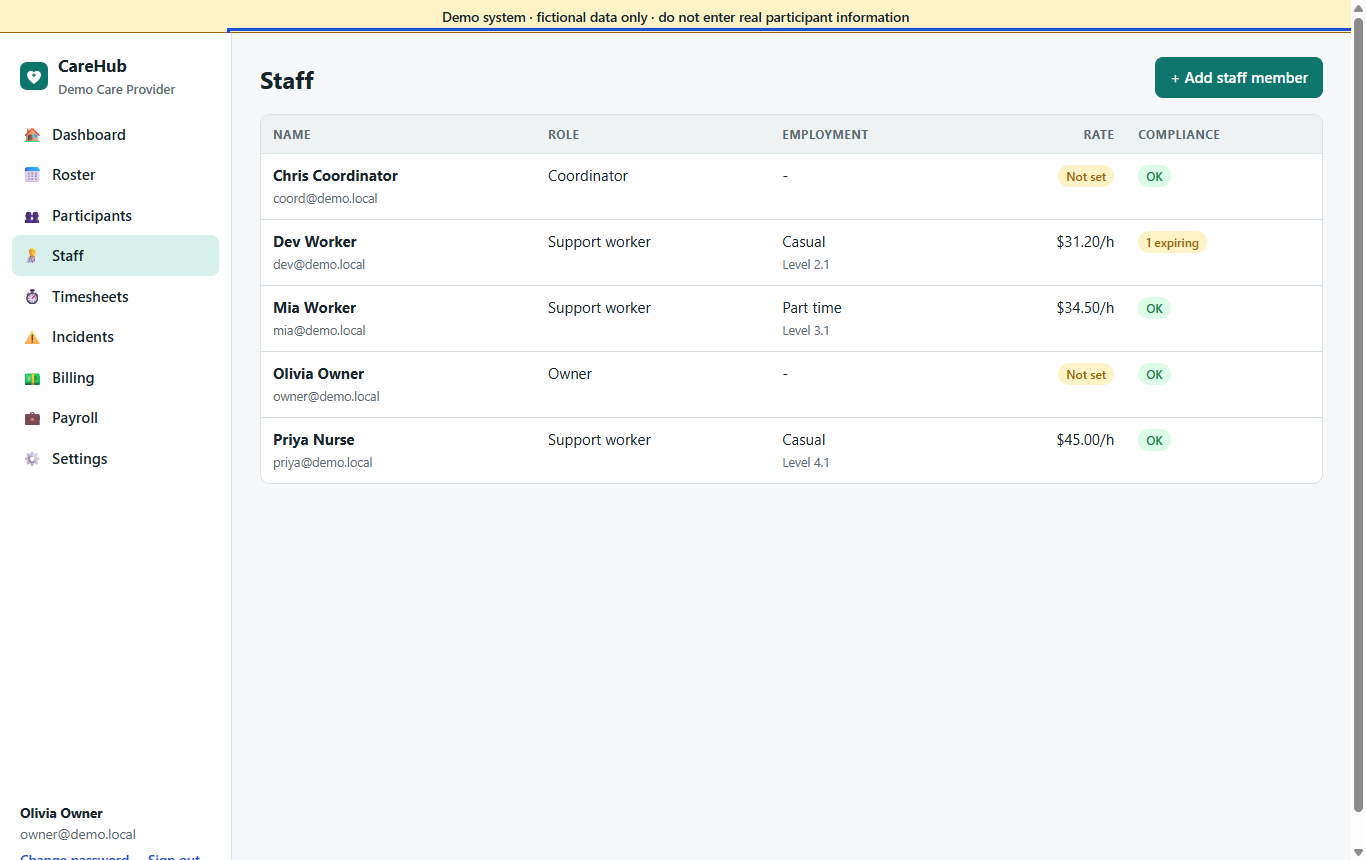
- NDIS Worker Screening, police check, Working With Children Check, first aid, CPR, licence, insurance and training, each with an expiry date.
- Mandatory checks block rostering once expired; everything expiring within 30 days shows on the dashboard.
- Weekly availability and leave requests, approved by the office.
- Employment type, award level and hourly rate for payroll.
The rest of the toolkit
Support worker app
GPS clock-in and clock-out, voice notes, signatures, open shifts, leave requests.
Learn more →NDIS billing
Catalogue pricing by time band, invoices, bulk claim file, Xero export.
Learn more →SCHADS payroll
Penalties, loadings, minimum engagement, km allowance, CSV for payroll.
Learn more →Incidents
Register with NDIS Commission deadlines; can't close until notified.
Learn more →Family portal
Upcoming visits, shared notes and invoices, read-only.
Learn more →Dashboard & audit log
What needs attention today, and a record of every change.
Learn more →Try it yourself
Every screen on this page is in the private demo, with fictional participants and staff.